Blog · Fact
How the Trading House sets a price, and how to hand goods to a friend through it
The Trading House moves a price at most 10% a day between a floor and a ceiling, and fills a trade at the price of whoever was on the board first. The rules the client proves, a planner for pushing a price to its floor or ceiling, every item’s limits, and the purchase-order hand-off.
TL;DR what no game screen tells you:
- A price cannot move more than 10% a day, whatever the server’s formula is, because every trade of a day sits inside that day’s band. From its standard price, pushing Rubyheart Shards to the floor takes at least 32 days and to the ceiling 3; a T5 Ruby 7 and 12; Honey 9 and 13. The planner below does any item from any starting price.
- Whoever was on the board first sets the price. A listing at or under an open purchase order fills at the order’s price; an order above the lowest listing fills at the listing’s price.
- You can sell to one chosen player. They post a purchase order at the top of the band, you list their quantity under it. If other orders sit at that price, list in the last minute before theirs expires.
- Reported How much to sell. Chinese players report tomorrow’s price as a volume-weighted average of today’s sales, so each day moves 10% times your share of the day’s volume: match everyone else’s volume for 5% a day, double it for 6.7%. They also report the house buying materials and shards that sit at the floor, on a timer. Neither is in the client; the planner uses the first and cites both.
Two rooms, two currencies Fact
The Commercium airship has two rooms. The Trading House sells stackable goods at posted prices: gear shards, Divinecraft Stone, gems, cooking materials, pet ability food, dishes and appearance gift boxes. Most of it trades in Dawnium; dishes and gift boxes are bought with Luminium and the seller still receives Dawnium. The Auction House takes Luminium bids on single pieces of Mythic and Divine gear and on recipes and pays the seller in Dawnium. There is no rule in it you would not guess, so its numbers sit at the end of the page. Once a Server Nexus forms, both rooms are shared across the merged servers.
How a price moves Fact
Every item has a recommended price \(R_d\) for the day. You can list or order only inside a band around it, cut off at the item’s floor \(F\) and ceiling \(C\):
$$ P_{\min}=\operatorname{clip}\!\big(\lfloor R_d\,(1-f)\rfloor,\;F,\;C\big),\qquad P_{\max}=\operatorname{clip}\!\big(\lfloor R_d\,(1+f)\rfloor,\;F,\;C\big),\qquad f=0.10 $$Dishes and gift boxes have no band, only \([F, C]\). So a price moves at most about 10% a day and never past its ceiling.
At 08:00 the server sets the next day’s recommended price from the day just ended:
$$ R_{d+1}=\operatorname{clip}\!\big(\,g(H_d,\,L_d,\,K_d,\,R_d,\,o_d)\,,\;F,\;C\big),\qquad R_0=S $$ $$ o_d=\begin{cases}20\% & \text{50 players, 100 actions}\\ 10\% & \text{10 players, 20 actions}\\ 5\% & \text{5 players, 10 actions}\\ 0 & \text{otherwise}\end{cases} $$\(H_d\), \(L_d\) and \(K_d\) are the day’s highest, lowest and closing sale prices, the numbers the server stores per day and the client draws
in the 7-day chart. \(S\) is the standard price, which the client draws wherever it has no history. \(o_d\) is the activity offset from the item
table (shards carry only the 20% tier). \(g\) is the server’s function, and the client does not contain it; it only knows that a setting named
UseNewRecommendPriceMethod is on, so there are at least two versions of \(g\). Whatever \(g\) is, every sale on day \(d\) happened inside
the band, so \(H_d\) and \(L_d\) sit within 10% of \(R_d\), and a \(g\) built from them cannot move the price more than 10% a day before the offset.
Reported On the Chinese forums (the game is 杖剑传说 there) players describe \(g\) as yesterday’s total sale value divided by total quantity, a volume-weighted average, and hedge it as their best reading. They also observe that a price rises on a day with purchase orders and no sales, and that the rule has been retuned more than once. None of this is in the client. TapTap: 进阶向 赚钱小技巧 TapTap: 新手向 交易行和拍卖行机制 TapTap: 交易所指南
Two more rules the client enforces:
$$ \text{fill price}=\text{the price of the side already on the board},\qquad Q_{\max}=\begin{cases}50\ \text{sets} & P=P_{\max}\\ 100\ \text{sets} & \text{otherwise}\end{cases} $$A listing lasts 24 hours on one of your 8 shelf slots (24 with Commercium Perks, the medal at accumulated top-up level 11) and then comes back to your Ledger unsold. A purchase order also lasts 24 hours. You can hold 15 at once, one per item, up to 100 sets each, and only 50 sets if you price it at the very top of the band. Buying takes the cheapest listings first and shows the estimated total before you confirm.
Planner: pushing a price to its floor or ceiling Derived
The one thing the band proves about the server’s function \(g\) is a speed limit. If your trades are the only ones that count on a day, tomorrow’s price is at best today’s band edge:
$$ R_{d+1}=\operatorname{clip}\!\big(\lfloor R_d\,(1\mp 0.1)\rfloor,\;F,\;C\big) \qquad\Rightarrow\qquad n_{\min}=\Big\lceil\,\frac{\ln(T/R_0)}{\ln(1\mp 0.1)}\,\Big\rceil $$\(T\) is the target price. This is the fastest path any \(g\) built from the day’s prices allows, so the day count is a minimum. Pick an item, put in today’s recommended price from the game, and choose the floor, the ceiling or a price of your own. The planner gives the day count and the price to trade at each day.
Reported How much to sell is not in the client. For that the planner uses the formula Chinese players report, the volume-weighted average: with your \(N\) sets at the band edge against \(V\) sets from everyone else at today’s price, each day moves 10% times your share of the volume. TapTap: 进阶向 赚钱小技巧
$$ R_{d+1}=\operatorname{clip}\!\Big(\Big\lfloor R_d\Big(1\mp 0.1\,\frac{N}{N+V}\Big)\Big\rfloor,\;F,\;C\Big) $$Leave the other players’ volume at zero and the planner shows the speed limit alone.
Every item’s floor, standard and ceiling Fact
Almost every item in a family shares one rule, so the table has one row per rule with the items in it. Prices are per set, in the currency of the “pay in” column; the standard price is the starting point for the recommended price; house stock is the number of sets the server can put on the board itself, explained further down. Hover an item for its trading window.
All 232 tradable items in 14 rules
| Items | Set | Floor | Standard | Ceiling | House stock | Pay in |
|---|---|---|---|---|---|---|
Divine gear shards 26 Rubyheart Shard Rubyheart Shard Sakura Shard Sakura Shard Thor Shard Thor Shard Blessmist Shard Blessmist Shard Destiny Shard Destiny Shard Inkmyth Shard Inkmyth Shard Qilin Shard Qilin Shard Redtide Shard Redtide Shard Lifespring Shard Lifespring Shard Nightshade Shard Nightshade Shard Oathsworn Shard Oathsworn Shard Solaris Shard Solaris Shard Soulbinder Shard Soulbinder Shard Terrarend Shard Terrarend Shard Empyrean Shard Empyrean Shard Nightfall Shard Nightfall Shard Nimbus Shard Nimbus Shard Thalasson Shard Thalasson Shard Tidebound Shard Tidebound Shard Wonderland Shard Wonderland Shard Everfrost Shard Everfrost Shard Frostflame Shard Frostflame Shard Frostmoon Shard Frostmoon Shard Inferno Shard Inferno Shard Magma Shard Magma Shard Sunflare Shard Sunflare Shard | 10 | 10 | 400 | 500 | – | Dawnium |
Divine gear shards, 3 more Holyseal Shard Holyseal Shard Phantasm Shard Phantasm Shard Genesis Shard Genesis Shard | 10 | 10 | 1,200 | 1,500 | – | Dawnium |
Mythic gear shards 30 Lavaborn Shard Lavaborn Shard Rubyheart Shard Rubyheart Shard Sakura Shard Sakura Shard Thunder Shard Thunder Shard Blessmist Shard Blessmist Shard Inkmyth Shard Inkmyth Shard Jade Shard Jade Shard Qilin Shard Qilin Shard Redtide Shard Redtide Shard Lifespring Shard Lifespring Shard Nightshade Shard Nightshade Shard Oathsworn Shard Oathsworn Shard Solaris Shard Solaris Shard Soulbinder Shard Soulbinder Shard Sylvan Shard Sylvan Shard Terrarend Shard Terrarend Shard Empyrean Shard Empyrean Shard Everflow Shard Everflow Shard Nightfall Shard Nightfall Shard Nimbus Shard Nimbus Shard Thalasson Shard Thalasson Shard Tidebound Shard Tidebound Shard Wonderland Shard Wonderland Shard Everfrost Shard Everfrost Shard Frostflame Shard Frostflame Shard Frostmoon Shard Frostmoon Shard Icebound Shard Icebound Shard Inferno Shard Inferno Shard Magma Shard Magma Shard Sunflare Shard Sunflare Shard | 10 | 10 | 250 | 300 | – | Dawnium |
Divinecraft Stone 1 Divinecraft Stone Divinecraft Stone | 10 | 10 | 100 | 150 | – | Dawnium |
Gems 8 T5 Amber T5 Amber T5 Amethyst T5 Amethyst T5 Beryl T5 Beryl T5 Citrine T5 Citrine T5 Moonstone T5 Moonstone T5 Obsidian T5 Obsidian T5 Ruby T5 Ruby T5 Sapphire T5 Sapphire | 1 | 900 | 1,800 | 5,400 | 2 | Dawnium |
Cooking materials 9 Raw Meat Raw Meat Flour Flour Potato Potato Prickle Pear Prickle Pear Aqua Dancer Aqua Dancer Beans Beans Orchid Spore Orchid Spore Pumpkin Pumpkin Dragon Fruit Dragon Fruit | 5 | 10 | 25 | 75 | 60 | Dawnium |
Cooking materials, 23 more Prime Meat Prime Meat Blue Bird Egg Blue Bird Egg Multiflora Honey Multiflora Honey Plump Rounberry Plump Rounberry Ferrous Chestnut Ferrous Chestnut Fragrant Curry Fragrant Curry Oasis Star Oasis Star Salted Butter Salted Butter Fresh Petal Fish Fresh Petal Fish Octopus Octopus Spicy Miso Spicy Miso Devil's Chili Devil's Chili Giant Claws Giant Claws Prime Bamboo Shoot Prime Bamboo Shoot Anemo Conch Fillets Anemo Conch Fillets Pure Electro Oil Pure Electro Oil Solberry Solberry Bounceberry Bounceberry Crystal Pineapple Crystal Pineapple Fragrant Cocoa Butter Fragrant Cocoa Butter Cryo Berry Cryo Berry Deep-Frozen Shrimp Deep-Frozen Shrimp Inferno Fruit Jam Inferno Fruit Jam | 1 | 15 | 45 | 135 | 100 | Dawnium |
| Cooking materials, 23 moreTender MeatHoneyRounberrySweet PotatoButterChestnutCurryThorn PearDancing LeafMisoPetal FishBamboo ShootChili PepperCrunchy BeansCloud Conch FilletsElectro OilStarlit Orchid SporeBounceberryGiant PumpkinRich Cocoa ButterFiery Fruit JamFrozen ShrimpSucculent Dragon Fruit | 3 | 15 | 45 | 135 | 60 | Dawnium |
Cooking materials, 17 moreExquisite MeatCobalt Bird EggRoyal Jelly White Truffle White Truffle Camel MilkOasis NovaSkimmed Butter Camel MilkOasis NovaSkimmed Butter Azure LobsterTidal OctopusArchclaw Crab Azure LobsterTidal OctopusArchclaw Crab Golden Ganoderma Golden Ganoderma Auroral TearGolden Solberry Auroral TearGolden Solberry Starstream FruitSunlit Crystal PineappleAzure Cryo Berry Starstream FruitSunlit Crystal PineappleAzure Cryo Berry Frostflame Berry Frostflame Berry | 1 | 45 | 135 | 405 | 20 | Dawnium |
Pet ability food 3 Inspiration Essence Inspiration Essence Silver Egg Silver Egg Silver Wool Silver Wool | 1 | 80 | 160 | 320 | 5 | Dawnium |
Dishes 14 Rounberry Cake Rounberry Cake Sunshine Scramble Sunshine Scramble Curry Feast Curry Feast Solar Halo Solar Halo Classic Takoyaki Classic Takoyaki Lucky Sashimi Lucky Sashimi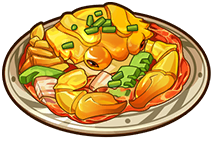 Crispy Gold Crispy Gold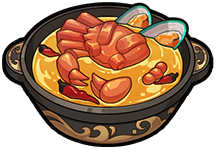 Victory Feast Victory Feast Caramelized Radiance Caramelized Radiance Sunny Stew Sunny Stew Crystal Milkshake Crystal Milkshake Pineapple Hot Dog Pineapple Hot Dog Arctic Shrimp Medley Arctic Shrimp Medley Crystal Fruit Roll Crystal Fruit Roll | 1 | 200 | 600 | 1,800 | – | Luminium in, Dawnium out |
Dishes, 7 more Royal Meat Pizza Royal Meat Pizza Dance of Transcendence Dance of Transcendence Ocean Gem Sashimi Ocean Gem Sashimi Surf & Turf Hotpot Surf & Turf Hotpot Radiant Parfait Radiant Parfait Meteor Special Meteor Special Frostflame Dance Frostflame Dance | 1 | 600 | 1,800 | 5,400 | – | Luminium in, Dawnium out |
Dishes, 7 more Truffle Cake Truffle Cake Moonlight Delight Moonlight Delight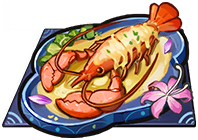 Buttery Lobster Bake Buttery Lobster Bake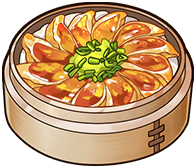 Golden Dumplings Golden Dumplings Dream Cake Dream Cake Starry Mousse Starry Mousse Frostflame Fusion Frostflame Fusion | 1 | 1,200 | 3,600 | 10,800 | – | Luminium in, Dawnium out |
Appearance gift boxes 61 Gift Box: Ancient Textile Gift Box: Ancient Textile Gift Box: Antlered Mask Gift Box: Antlered Mask Gift Box: Broken Horn Gift Box: Broken Horn Gift Box: Broken Sword Gift Box: Broken Sword Gift Box: Cactus Knuckles Gift Box: Cactus Knuckles Gift Box: Chalk Hammer Gift Box: Chalk Hammer Gift Box: Chalky Headdress Gift Box: Chalky Headdress Gift Box: Chime Twig Gift Box: Chime Twig Gift Box: Claw Mark Gift Box: Claw Mark Gift Box: Fish Clip Gift Box: Fish Clip Gift Box: Golem's Greatsword Gift Box: Golem's Greatsword Gift Box: Golem's Scepter Gift Box: Golem's Scepter Gift Box: Hexbloom Gift Box: Hexbloom Gift Box: Mega Blossom Gift Box: Mega Blossom Gift Box: Primeval Grimoire Gift Box: Primeval Grimoire Gift Box: Raccoon's Mirage Leaf Gift Box: Raccoon's Mirage Leaf Gift Box: Solar Nexus Gift Box: Solar Nexus Gift Box: Steel Jaw Gift Box: Steel Jaw Gift Box: Tengu Mask Gift Box: Tengu Mask Gift Box: Titan Shield Gift Box: Titan Shield Gift Box: Vine Tassel Gift Box: Vine Tassel Gift Box: Zephyr's Feeler Gift Box: Zephyr's Feeler Gift Box: Ancient Bronze Sword Gift Box: Ancient Bronze Sword Gift Box: Copper Coin Mask Gift Box: Copper Coin Mask Gift Box: Dusty Puppet Hairpin Gift Box: Dusty Puppet Hairpin Gift Box: Gray Beard Gift Box: Gray Beard Gift Box: Ox Mask Gift Box: Ox Mask Gift Box: Talisman Gift Box: Talisman Gift Box: White Tiger Staff Gift Box: White Tiger Staff Gift Box: Xin Huan Mask Gift Box: Xin Huan Mask Gift Box: Amethyst Blade Gift Box: Amethyst Blade Gift Box: Ancestral Tome Gift Box: Ancestral Tome Gift Box: Blighted Shield Gift Box: Blighted Shield Gift Box: Chaotic Touch Gift Box: Chaotic Touch Gift Box: Corrupted Mask Gift Box: Corrupted Mask Gift Box: Feather Hairpin Gift Box: Feather Hairpin Gift Box: Featherfall Sword Gift Box: Featherfall Sword Gift Box: Midnight Eye Gift Box: Midnight Eye Gift Box: Thunder Horn Gift Box: Thunder Horn Gift Box: Trebuchet Gift Box: Trebuchet Gift Box: Withering Staff Gift Box: Withering Staff Cannonfist Gloves Pack Cannonfist Gloves Pack Fortress Shield Pack Fortress Shield Pack King's Scepter Pack King's Scepter Pack Mystic Saucer Pack Mystic Saucer Pack Thalasson Mask Pack Thalasson Mask Pack Time Grimoire Pack Time Grimoire Pack Toybreaker Hammer Pack Toybreaker Hammer Pack Train Spotlight Pack Train Spotlight Pack Unknown Flight Hairpin Pack Unknown Flight Hairpin Pack Wisdom Pointer Pack Wisdom Pointer Pack Crucible Orb Pack Crucible Orb Pack Dova's Mask Pack Dova's Mask Pack Everfrost Shield Pack Everfrost Shield Pack Frosthelm Mask Pack Frosthelm Mask Pack Frostwing Tome Pack Frostwing Tome Pack Glacial Horns Pack Glacial Horns Pack Inferno Gauntlets Pack Inferno Gauntlets Pack Sovereign Sword Pack Sovereign Sword Pack Volcanic Furnace Pack Volcanic Furnace Pack Winter Scepter Pack Winter Scepter Pack | 1 | 100 | 300 | 1,000 | – | Luminium in, Dawnium out |
Flagged obsolete and not tradable: Bronze Egg, Bronze Wool, Brown Egg, Focus Essence, Fresh Essence, Magic Wool, T1 Amber, T1 Amethyst, T1 Beryl, T1 Citrine, T1 Moonstone, T1 Obsidian, T1 Ruby, T1 Sapphire, T2 Amber, T2 Amethyst, T2 Beryl, T2 Citrine, T2 Moonstone, T2 Obsidian, T2 Ruby, T2 Sapphire, T3 Amber, T3 Amethyst, T3 Beryl, T3 Citrine, T3 Moonstone, T3 Obsidian, T3 Ruby, T3 Sapphire, T4 Amber, T4 Amethyst, T4 Beryl, T4 Citrine, T4 Moonstone, T4 Obsidian, T4 Ruby, T4 Sapphire, T6 Amber, T6 Amethyst, T6 Beryl, T6 Citrine, T6 Moonstone, T6 Obsidian, T6 Ruby, T6 Sapphire.
Trading windows of the gear shards
Shards trade only while the server is at their rank, opening 12 to 83 days after the rank unlocks; some are removed again later in the rank.
- Lavaborn Shard Mythic: while the server is at Elite
- Rubyheart Shard Mythic: while the server is at Expert, from day 12
- Sakura Shard Mythic: while the server is at Expert, from day 21
- Thunder Shard Mythic: while the server is at Expert, gone on day 21
- Rubyheart Shard Divine: while the server is at Expert, from day 12
- Sakura Shard Divine: while the server is at Expert, from day 21
- Thor Shard Divine: while the server is at Expert, from day 21
- Blessmist Shard Mythic: while the server is at Champion, from day 26, gone on day 52
- Inkmyth Shard Mythic: while the server is at Champion, from day 13, gone on day 39
- Jade Shard Mythic: while the server is at Champion, gone on day 26
- Qilin Shard Mythic: while the server is at Champion, from day 52
- Redtide Shard Mythic: while the server is at Champion, from day 39
- Blessmist Shard Divine: while the server is at Champion, from day 26, gone on day 52
- Destiny Shard Divine: while the server is at Champion, from day 52
- Inkmyth Shard Divine: while the server is at Champion, from day 13, gone on day 39
- Qilin Shard Divine: while the server is at Champion, from day 52
- Redtide Shard Divine: while the server is at Champion, from day 39
- Lifespring Shard Mythic: while the server is at Master, from day 13, gone on day 41
- Nightshade Shard Mythic: while the server is at Master, from day 27, gone on day 55
- Oathsworn Shard Mythic: while the server is at Master, from day 55, gone on day 83
- Solaris Shard Mythic: while the server is at Master, from day 69
- Soulbinder Shard Mythic: while the server is at Master, from day 41, gone on day 69
- Sylvan Shard Mythic: while the server is at Master, gone on day 27
- Terrarend Shard Mythic: while the server is at Master, from day 83
- Lifespring Shard Divine: while the server is at Master, from day 13, gone on day 41
- Nightshade Shard Divine: while the server is at Master, from day 27, gone on day 55
- Oathsworn Shard Divine: while the server is at Master, from day 55, gone on day 83
- Solaris Shard Divine: while the server is at Master, from day 69
- Soulbinder Shard Divine: while the server is at Master, from day 41, gone on day 69
- Terrarend Shard Divine: while the server is at Master, from day 83
- Holyseal Shard Divine: while the server is at Master, from day 83
- Empyrean Shard Mythic: while the server is at Paragon, from day 55, gone on day 83
- Everflow Shard Mythic: while the server is at Paragon, gone on day 27
- Nightfall Shard Mythic: while the server is at Paragon, from day 83
- Nimbus Shard Mythic: while the server is at Paragon, from day 69
- Thalasson Shard Mythic: while the server is at Paragon, from day 27, gone on day 55
- Tidebound Shard Mythic: while the server is at Paragon, from day 13, gone on day 41
- Wonderland Shard Mythic: while the server is at Paragon, from day 41, gone on day 69
- Empyrean Shard Divine: while the server is at Paragon, from day 55, gone on day 83
- Nightfall Shard Divine: while the server is at Paragon, from day 83
- Nimbus Shard Divine: while the server is at Paragon, from day 69
- Thalasson Shard Divine: while the server is at Paragon, from day 27, gone on day 55
- Tidebound Shard Divine: while the server is at Paragon, from day 13, gone on day 41
- Wonderland Shard Divine: while the server is at Paragon, from day 41, gone on day 69
- Phantasm Shard Divine: while the server is at Paragon, from day 83
- Everfrost Shard Mythic: while the server is at Saint, from day 27, gone on day 55
- Frostflame Shard Mythic: while the server is at Saint, from day 83
- Frostmoon Shard Mythic: while the server is at Saint, from day 55, gone on day 83
- Icebound Shard Mythic: while the server is at Saint, gone on day 27
- Inferno Shard Mythic: while the server is at Saint, from day 41, gone on day 69
- Magma Shard Mythic: while the server is at Saint, from day 13, gone on day 41
- Sunflare Shard Mythic: while the server is at Saint, from day 69
- Everfrost Shard Divine: while the server is at Saint, from day 27, gone on day 55
- Frostflame Shard Divine: while the server is at Saint, from day 83
- Frostmoon Shard Divine: while the server is at Saint, from day 55, gone on day 83
- Inferno Shard Divine: while the server is at Saint, from day 41, gone on day 69
- Magma Shard Divine: while the server is at Saint, from day 13, gone on day 41
- Sunflare Shard Divine: while the server is at Saint, from day 69
- Genesis Shard Divine: while the server is at Saint, from day 83
A trade fills at the resting order’s price Derived
The Ledger has two different messages for a filled order. A seller reads “your listing was bought out at a higher price”. A buyer reads “your purchase order has been fulfilled at {price}, and the price difference has been refunded”. Together they say that whichever side was already on the board sets the price. List under an open order and you get the order’s price. Post an order above the lowest listing and you pay the listing’s price. The matching code runs on the server. This rule is read off the two messages.
Worked example. Rubyheart Shards, recommended 400 a set of 10, so the band is 360 to 440. Someone has an order open for 50 sets at 440. You list 10 sets at 400: they sell immediately for 4,400 before the fee. Had you instead posted an order at 440 while a seller had 10 sets listed at 400, you would pay 4,000 and get 40 a set back.
Handing goods to one player through a public market Derived
The Trading House has no player-to-player trade, but the rule above gives you one. Say A wants B’s shards.
- A posts a purchase order at the top of the band. Nobody can post a higher one, because the band is the ceiling for orders too. At the top the order is capped at 50 sets, so a bigger transfer is split across days or items.
- B lists exactly A’s remaining quantity at or under A’s price. It fills at A’s price.
- If other orders already sit at the same price, B lists in the last minute before A’s order expires. Orders live 24 hours, so by then every order older than A’s at that price has already expired, and A’s is the oldest one left. A first-in, first-out queue serves it first.
The queue order among equal prices is the one thing the client cannot prove (see the end). Step 3 rests on the game being first-in, first-out, and if it is not, only step 1 is a guarantee. Waiting 24 hours also crosses an 08:00 reset. If the band moved up overnight, new orders at the new top outrank A’s. If it moved down, B still has to list at or under A’s price, and the new band may not allow that. So do the same-day version whenever the price is free. And while A’s order is up, any stranger who lists under it sells to A at A’s price. The safest version is an item nobody else is selling, or a post and a list within the same minute.
Reported A Chinese guide describes the same trick, and its author reports the queue as first-in, first-out from observation: of two equal orders, the one posted earlier filled first. TapTap: 进阶向 赚钱小技巧 TapTap: 新手向 交易行和拍卖行机制
The house trades too Fact
The item table gives some goods an “official goods” count, and every record the server keeps for a listing or a sale has a slot for an NPC seller and an NPC buyer next to the player ids. So the server can put stock on the board itself, and it can buy what players list. Here is what the client holds about that, and where its knowledge stops.
The house-stock column in the item table above is that count per intervention: 20 to 100 sets of a cooking material depending on its tier, 2 sets of a T5 gem, 5 of a pet ability food, and none of anything else.
- The settings give an intervention window of 120 to 240 minutes and a check value of 8 hours. The comment on that setting says “check time, in hours”, so it is either a check every 8 hours or a check at 08:00 with the price reset. The client does not say which.
- When the house buys your listing, your Ledger names the buyer as one of six kingdom shopkeepers: Hermes, Carol, Qin, Killian, Molly or the Mysterious Merchant. The config lists exactly those six ids as “the NPCs used when official goods are bought”. That Ledger line is the only place a player ever sees the house trading.
- When the house lists goods, nobody can tell. The market screen shows each price and how many sets sit at it, never who listed them, and the client has no code that would mark a listing as the house’s.
- The client ships the debug buttons for the server side of this: turn interventions on or off per server, remove the house’s stock of one item, delist one of its “service” listings, cancel one of its “service” purchase orders, and set the price of a “service” item on a server. So the house’s price is a value staff can set per server, and whether the automatic stock goes up at the standard price is not in the client. The buttons are in the client; the code behind them is not.
Reported Chinese players say the house buys materials and shards that sit at the floor price, on a timer, oldest listing first, and treat it as a guaranteed sale for anything that has hit the floor. Their example, white flour locked at 2 Dawnium, matches the client’s floor of 10 for a set of five. The client’s per-item count is zero for shards, so either the buy side is not governed by that count or the report predates the current config. TapTap: 交易行与拍卖行 9game: 交易行省钱技巧
Not in the client: what triggers an intervention (thin stock, a price at the floor or the ceiling, or a timer), at what price the house lists or buys, and whether it is switched on for your server at all. What the numbers do say is that a corner on cooking materials, T5 gems or pet food can be refilled by the counts above every few hours, and that the house can be the one buying the listings you put up. Nothing of the kind exists for shards, dishes or gift boxes.
What limits a campaign Fact
- The house’s own stock, as above, for cooking materials, gems and pet food.
- An order priced at the top of the band is capped at 50 sets, against 100 sets elsewhere in it, so buying at the top is rationed.
- Every item carries activity tiers of “at least 5 players and 10 actions”, “10 and 20” and “50 and 100” (shards only the last) with 5%, 10% and 20% attached. The client stores the thresholds, and what the server does when one is met is not in the client. One account cannot meet even the first tier.
Not in the client Fact
The recommended-price formula (the setting UseNewRecommendPriceMethod is on), the order in which equal-priced listings and orders
fill, the trigger for NPC stock and the use of the activity tiers all run on the server. The game sends the client only price and quantity
totals, never the individual listings, so first-in, first-out is a guess supported only by the timestamps the records carry.
Auction House rules, for the record
- Starting price at least 100 Luminium (recipes 100 to 1,200), any price up to 999,999. The auction runs 6 hours; you have 4 booths, 8 with Perks.
- Bids are Luminium. When you are outbid the full amount returns to your Ledger. The seller receives the winning bid in Dawnium, one for one, minus the auction fee. It is the one place another player’s Luminium becomes your Dawnium.
- No delisting once a bid exists, no bidding on your own item, no raising your own top bid. Gear that is equipped or has gems inlaid cannot be listed.
- Reported A bid in the last five minutes extends the auction by five minutes, as Chinese players report; the client holds the five-minute setting but not the code. TapTap: 交易行与拍卖行
- The minimum raise depends on the current bid:
| Current bid (Luminium) | Minimum raise |
|---|---|
| 100–999 | +10 |
| 1,000–1,999 | +50 |
| 2,000–4,999 | +100 |
| 5,000–9,999 | +200 |
| 10,000 and up | +500 |
Comments
Anonymous, no account needed. Say what you would build and why. The site owner can remove posts.